
Git 사용자 이름 및 이메일 주소 설정
매우 빈번한 오류 메시지...
Page content
Git 저장소를 클론한 후, 로컬 저장소 설정을 진행해야 합니다. 특히 사용자 이름과 이메일 주소를 설정해야 합니다.
이 페이지는 개발자 도구: 모던 개발 워크플로우 완벽 가이드의 일부입니다.
명령줄을 통해 새로 클론한 저장소에 첫 커밋을 수행할 때, 다음과 같이 명령을 실행했다고 가정해 보겠습니다.
git commit -m "test commit msg"
그런 다음, 합리적인 메시지와 함께 git이 예상대로 동작하는 것을 확인하게 됩니다.
[master 3506e11] test commit msg
 Committer: megaadmin <megaadmin@myhost>
Your name and email address were configured automatically based
on your username and hostname. Please check that they are accurate.
You can suppress this message by setting them explicitly
...
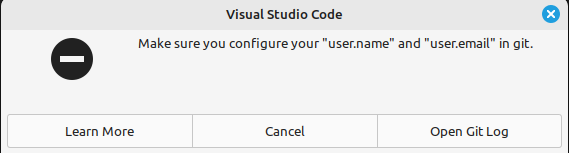
하지만 VS Code를 사용하면 다음과 같은 메시지를 받을 수 있습니다.
방법
기본적으로 해야 할 일은 configure 명령과 함께 git을 실행하는 것입니다.
git config user.email "root@microsoft.com"
git config user.name "bg"
이메일과 사용자 이름을 본인 것으로 교체하면 됩니다.
유용한 링크
- 로컬 Gitea 서버 호스팅에 대해: 무료 온프레미스 Git 서버 선택 - Gitea가 우승자!
- Gitea SSL 설정: Apache를 리버스 프록시로 사용하는 Gitea SSL
- Gitea 서버 실행이 완료된 후: Gitea 서버 백업 및 복원
- GIT 치트시트: 가장 유용한 GIT 명령어
- 분기 전략에 대해: Gitflow 설명: 단계, 대안, 장점 및 단점
