
Podman Quadlet vs Docker Compose for Linux Services
Choose the right container workflow.
Docker Compose and Podman Quadlet solve overlapping problems but come from different design centers, and choosing between them depends on whether you think in application stacks or Linux services.
The distinction matters for anyone running containers on a Linux host beyond a single afternoon of experimentation. Compose describes services, networks, and volumes in a YAML file and starts them with docker compose up. Quadlet describes containers in systemd-style unit files and lets the system service manager own the lifecycle.
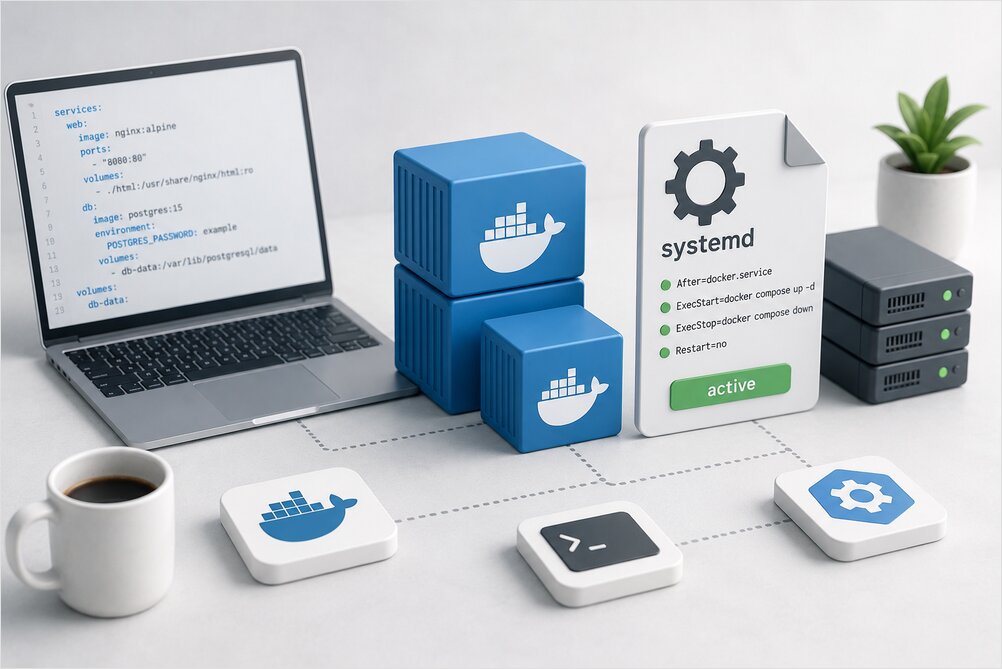
Both approaches work for self-hosted services, internal tools, and small servers. The right choice comes down to your operational model, team familiarity, and whether you prefer a developer-friendly stack format or a systemd-native service model. This comparison covers the practical differences: file formats, lifecycle ownership, rootless containers, logging, updates, networking, security, and migration paths. It is part of Developer Tools: The Complete Guide to Modern Development Workflows.
Quick Recommendation
Use Docker Compose when:
- You want the fastest multi-container workflow.
- You already use Docker Engine.
- You share stacks with developers.
- You need a familiar
compose.yamlfor local development. - You deploy small services with Docker on one host.
- You use existing Compose examples from projects.
Use Podman Quadlet when:
- You want systemd-native container services.
- You prefer rootless containers.
- You do not want a central Docker daemon.
- You run long-lived services on a Linux host.
- You want
systemctl,journalctl, timers, dependencies, and auto-start. - You are building a self-hosted or homelab server around systemd.
- You want containers to fit into the normal Linux service model.
The practical rule:
Docker Compose is better for application stacks.
Podman Quadlet is better for Linux services.
That is not a law. It is a useful default.
Comparison Table
| Area | Docker Compose | Podman Quadlet |
|---|---|---|
| Primary model | Multi-container application | systemd-managed container service |
| File format | YAML | systemd-like unit files |
| Runtime | Docker Engine | Podman |
| Daemon | Uses Docker daemon | Daemonless Podman model |
| Service manager | Compose manages stack lifecycle | systemd manages lifecycle |
| Best fit | Dev stacks, app bundles, simple deployments | Long-running Linux services |
| Rootless support | Possible, but not the default mental model | Strong fit |
| Logs | docker compose logs |
journalctl and podman logs |
| Startup on boot | Usually via systemd wrapper or restart policy | Native systemd unit |
| Updates | docker compose pull && docker compose up -d |
Podman auto-update or systemd workflows |
| Portability | Very high across Docker environments | Best on Linux with systemd |
| Learning curve | Easier for most developers | Easier for systemd users |
| Ecosystem examples | Huge | Smaller, but growing |
Neither one is Kubernetes. Most small services do not need a cluster. They need a boring, understandable way to start, stop, update, log, and recover.
What Docker Compose Is Good At
Docker Compose is a tool for defining and running multi-container applications. A typical Compose file describes services, images, build contexts, ports, volumes, networks, environment variables, health checks, dependencies, and profiles.
services:
  web:
    image: nginx:stable
    ports:
      - "8080:80"
    restart: unless-stopped
    volumes:
      - ./html:/usr/share/nginx/html:ro

  redis:
    image: redis:7
    restart: unless-stopped
Run it:
docker compose up -d
Check status:
docker compose ps
Read logs:
docker compose logs -f
Stop it:
docker compose down
Compose is direct and productive. It is especially good when the unit of thought is “this application has several containers.” For a comprehensive reference of Compose commands and patterns, see the Docker Compose Cheatsheet. For Docker commands beyond Compose — images, volumes, networks, and cleanup — see the Docker Cheatsheet.
What Podman Quadlet Is Good At
Podman Quadlet is a way to define Podman containers using systemd-style files. Instead of writing a full generated systemd service by hand, you write a declarative file:
[Unit]
Description=Example web container
After=network-online.target
Wants=network-online.target

[Container]
Image=docker.io/library/nginx:stable
PublishPort=8080:80
Volume=/opt/example/html:/usr/share/nginx/html:ro

[Service]
Restart=always

[Install]
WantedBy=multi-user.target
Save it as /etc/containers/systemd/example.container, then reload systemd:
sudo systemctl daemon-reload
Start it:
sudo systemctl enable --now example.service
Check it:
systemctl status example.service
journalctl -u example.service -f
The core appeal of Quadlet: the container becomes a normal Linux service.
The Philosophical Difference
Docker Compose Thinks in Stacks
Compose asks: What services make up this application?
A Compose project usually lives near application code:
myapp/
  compose.yaml
  .env
  app/
  db/
You start the project as a unit:
docker compose up -d
You update the project as a unit:
docker compose pull
docker compose up -d
This is simple, visible, and portable.
Podman Quadlet Thinks in Services
Quadlet asks: What containers should this Linux host run as services?
Quadlet files live in systemd-related container paths:
/etc/containers/systemd/
~/.config/containers/systemd/
You manage generated services with systemd:
systemctl status myapp.service
systemctl restart myapp.service
journalctl -u myapp.service -f
This feels more native on a Linux server. For general systemd service patterns, see Run any Executable as a Service in Linux.
The Important Difference: Who Owns Lifecycle?
With Docker Compose, Compose owns the application lifecycle. With Quadlet, systemd owns the service lifecycle.
This affects boot behavior, shutdown behavior, restart policy, dependency ordering, logs, health visibility, user services, updates, integration with timers, and integration with other host services.
If you already use systemd to manage everything else on the host, Quadlet fits neatly. If you think mainly in terms of application stacks, Compose is usually more comfortable.
Docker Compose Under systemd vs Quadlet
You can run Docker Compose as a systemd service. That is often a good pattern. Example systemd unit:
[Unit]
Description=MyApp Docker Compose stack
Requires=docker.service
After=docker.service network-online.target
Wants=network-online.target

[Service]
Type=oneshot
RemainAfterExit=yes
WorkingDirectory=/opt/myapp
ExecStart=/usr/bin/docker compose up -d --remove-orphans
ExecReload=/usr/bin/docker compose up -d --remove-orphans
ExecStop=/usr/bin/docker compose down
TimeoutStartSec=0
TimeoutStopSec=120

[Install]
WantedBy=multi-user.target
This works well. But it is still a wrapper around Compose. systemd starts the Compose command, while Docker and Compose handle containers behind it.
With Quadlet, the unit generation is designed for Podman and systemd directly. You write container-oriented unit files, and systemd manages the generated services.
The distinction is subtle but important:
Docker Compose under systemd:
  systemd manages a Compose command.

Podman Quadlet:
  systemd manages generated container services.
For a detailed walkthrough of this pattern, see Run Docker Compose as a Linux Service with systemd.
File Format Comparison
Docker Compose YAML
Compose uses YAML. It is compact, popular, and easy to share. It is also indentation-sensitive and can grow messy when a stack becomes large.
services:
  app:
    image: ghcr.io/example/app:1.0.0
    restart: unless-stopped
    ports:
      - "8080:8080"
    environment:
      APP_ENV: production
    volumes:
      - app-data:/data

volumes:
  app-data:
Quadlet Unit Files
Quadlet uses systemd-like files. They are more verbose when you have many services, but readable if you already understand systemd.
[Unit]
Description=Example app container
After=network-online.target
Wants=network-online.target

[Container]
Image=ghcr.io/example/app:1.0.0
PublishPort=8080:8080
Environment=APP_ENV=production
Volume=app-data.volume:/data

[Service]
Restart=always

[Install]
WantedBy=multi-user.target
And a volume file:
[Volume]
VolumeName=app-data
Saved as app.container and app-data.volume in the appropriate systemd container directory.
Mapping Docker Compose Concepts to Quadlet
| Compose concept | Quadlet equivalent |
|---|---|
services |
.container files or .pod plus .container |
volumes |
.volume files or bind mounts |
networks |
.network files |
ports |
PublishPort= |
environment |
Environment= or EnvironmentFile= |
restart |
[Service] Restart= |
depends_on |
systemd After=, Wants=, Requires= |
healthcheck |
Podman healthcheck options |
profiles |
systemd enablement and separate units |
docker compose logs |
journalctl -u service and podman logs |
docker compose up -d |
systemctl start service |
docker compose down |
systemctl stop service |
| project directory | systemd container unit directory |
The migration is conceptually simple but not mechanical. Compose describes a stack. Quadlet describes services.
Rootless Containers
Rootless containers are one of the strongest reasons to look at Podman and Quadlet.
With Docker, many users add themselves to the docker group. That is convenient, but access to the Docker daemon is effectively powerful host access. On a personal workstation, that may be acceptable. On shared servers, it deserves more caution.
Podman was designed with rootless usage as a first-class workflow. A rootless Quadlet lives under the user’s config directory:
~/.config/containers/systemd/whoami.container
Then manage it with user systemd:
systemctl --user daemon-reload
systemctl --user enable --now whoami.service
systemctl --user status whoami.service
journalctl --user -u whoami.service -f
To allow the user service to keep running after logout:
sudo loginctl enable-linger "$USER"
This is a clean model for user-owned services.
Rootless Comparison
| Area | Docker Compose | Podman Quadlet |
|---|---|---|
| Default common setup | Rootful Docker daemon | Rootless-friendly Podman |
| User service model | Possible, but less native | Native with systemctl --user |
| Daemon access risk | Docker socket is powerful | No central root daemon by default |
| Low port binding | Simple as rootful Docker | Needs extra setup when rootless |
| Host integration | Very common | More Linux-native |
| Shared server fit | Needs care | Strong fit |
Rootless is not magic. It has tradeoffs around networking, privileged behavior, and low ports. But for long-running user-owned services, Quadlet is a very elegant model.
Startup and Boot Behavior
Docker Compose
Compose by itself does not create a boot service. You usually rely on Docker restart policies, a systemd wrapper around docker compose up -d, a deployment script, or a higher-level tool.
Example Compose restart policy:
services:
  app:
    image: example/app:stable
    restart: unless-stopped
A systemd wrapper gives you a host-level service. That is good, but it is still an extra wrapper. See Run Docker Compose as a Linux Service with systemd for the full pattern.
Podman Quadlet
Quadlet is already systemd-oriented. Enable on boot:
sudo systemctl enable myapp.service
For rootless:
systemctl --user enable myapp.service
sudo loginctl enable-linger "$USER"
Boot behavior is not an add-on. It is the model.
Restart Behavior
Compose commonly uses restart: unless-stopped in YAML. Quadlet commonly uses systemd restart behavior:
[Service]
Restart=always
Or:
[Service]
Restart=on-failure
This moves restart logic into the service manager. The preference: use Compose/Docker restart policies for Compose stacks, use systemd restart policies for Quadlet, and do not stack too many supervisors. Keep one clear owner of restart behavior.
Logging Comparison
Docker Compose Logs
docker compose logs -f
docker compose logs -f app
This is excellent for developers.
Quadlet Logs
Quadlet services use systemd logs:
journalctl -u app.service -f
For rootless units:
journalctl --user -u app.service -f
You can still use Podman logs:
podman logs -f container-name
For server operations, journalctl integration is a major advantage. Your containers fit into the same log workflow as other Linux services.
Updates
Updating Docker Compose
A common update flow:
cd /opt/myapp
docker compose pull
docker compose up -d --remove-orphans
docker image prune -f
Easy to wrap in a script:
#!/usr/bin/env bash
set -euo pipefail

cd /opt/myapp

docker compose config --quiet
docker compose pull
docker compose up -d --remove-orphans
docker image prune -f
docker compose ps
Updating Podman Quadlet
A simplified manual flow:
sudo podman pull ghcr.io/example/app:1.0.1
sudo systemctl restart app.service
Or for rootless:
podman pull ghcr.io/example/app:1.0.1
systemctl --user restart app.service
Podman can support auto-update workflows when containers are configured with the right labels and image policy. Quadlet’s advantage is not that updates are always simpler. The advantage is that updates are service-manager-native.
Auto-Update Philosophy
Auto-updates are convenient. They are also a risk. For low-risk homelab services, automatic container updates can be fine. For databases, stateful apps, or business services, the preferred flow is:
- Back up.
- Pull.
- Recreate or restart.
- Check health.
- Prune later.
Compose makes this explicit. Quadlet and Podman can make it systemd-native. Neither tool removes the need for a rollback plan.
Volumes and Persistent Data
Compose Volumes
Compose supports named volumes:
services:
  db:
    image: postgres:16
    volumes:
      - db-data:/var/lib/postgresql/data

volumes:
  db-data:
And bind mounts:
services:
  app:
    image: example/app
    volumes:
      - ./config:/config:ro
      - ./data:/data
Quadlet Volumes
Quadlet can use bind mounts:
[Container]
Volume=/opt/app/config:/config:ro
Volume=/opt/app/data:/data
Or a .volume file:
[Volume]
VolumeName=app-data
Then reference it:
[Container]
Volume=app-data.volume:/data
Compose is more compact for stack-level storage. Quadlet is more aligned with independently managed service units.
Secrets and Environment Files
Compose
Compose often uses env_file or environment in YAML. For a small private service, .env is common. For serious systems, treat .env as sensitive and keep it out of Git.
Quadlet
Quadlet can use:
[Container]
Environment=APP_ENV=production
EnvironmentFile=/opt/app/app.env
Restrict permissions:
chmod 600 /opt/app/app.env
Neither Compose nor Quadlet is a complete secret-management system by itself. Do not confuse “not in the command line” with “secure”.
Networking
Compose Networking
Compose creates a default project network and gives services DNS names based on service names:
services:
  app:
    image: example/app
    depends_on:
      - db

  db:
    image: postgres:16
The app can usually reach the database at db. Multi-container app networking feels natural. This is one of Compose’s strongest features.
Quadlet Networking
Quadlet can define networks separately with .network files or use Podman network options:
[Network]
NetworkName=appnet
Container file:
[Container]
Image=example/app:stable
Network=appnet.network
This is more explicit and systemd-like. For one or two containers, it is fine. For a large app stack, Compose is often easier to read.
Pods
Podman has a native pod concept. That matters if you like the Kubernetes mental model where multiple containers share a network namespace and lifecycle boundary. Quadlet supports .pod files:
[Pod]
PodName=myapp
PublishPort=8080:8080
A container can join that pod:
[Container]
Image=ghcr.io/example/app:stable
Pod=myapp.pod
Compose does not have the same pod model. It has services on networks. For most simple web apps, Compose networks are enough. For Podman users who like pod-style grouping, Quadlet is a better match.
Build Workflows
Compose is usually better when you build images as part of the local application workflow:
services:
  app:
    build:
      context: .
      dockerfile: Dockerfile
    ports:
      - "8080:8080"
Then:
docker compose up --build
This is extremely convenient for development. Quadlet is usually better when you run already-built images as services. Build images with Podman separately:
podman build -t localhost/myapp:latest .
Then reference the image:
[Container]
Image=localhost/myapp:latest
If your workflow is “edit code, rebuild, restart stack”, Compose wins. If your workflow is “deploy a known image as a Linux service”, Quadlet wins.
Portability
Compose files are widely shared. Many open-source projects provide a compose.yaml or docker-compose.yml. If a project says “run this with Docker Compose”, you can usually start quickly with docker compose up -d. This is a major practical advantage.
Quadlet is portable across systems that have Podman, systemd, and compatible Quadlet support. That is a narrower target, but a very good one for modern Linux servers. Quadlet is not the best format for sharing an application with every possible developer. It is a good format for describing how a specific Linux host should run a containerized service.
Developer Experience
Docker Compose usually wins developer experience. More examples, more tutorials, more project templates, easier local builds, easy one-file stack, familiar docker compose up, and strong fit for dev dependencies. A developer can read this quickly:
services:
  db:
    image: postgres:16
  redis:
    image: redis:7
  app:
    build: .
Quadlet can do similar things, but it is more operations-shaped. For local development, I would rarely start with Quadlet unless the application itself is specifically about Podman or systemd.
Operations Experience
Quadlet often wins operations experience on a Linux host. Reasons:
- Native
systemctl - Native
journalctl - Rootless user services
- systemd dependencies
- systemd timers
- systemd restart behavior
- No central Docker daemon
- Better fit with host service management
A server admin can reason about:
systemctl status app.service
journalctl -u app.service -f
systemctl restart app.service
That is the normal Linux service workflow.
Security Model
Docker Compose Security Notes
Docker Compose usually talks to the Docker daemon. On a normal Linux Docker install, access to the Docker socket is powerful. A user who can control Docker can often mount host paths, run privileged containers, or otherwise gain broad host control. For installation options including rootless Docker on Ubuntu, see Install Docker on Ubuntu.
Practical advice:
- Do not casually expose
/var/run/docker.sock. - Treat the
dockergroup as privileged. - Avoid privileged containers.
- Avoid host mounts unless needed.
- Keep secrets out of Git.
- Use explicit image tags for important services.
- Review published ports.
Quadlet Security Notes
Podman Quadlet pairs well with rootless containers and user systemd services. This can reduce risk, especially on shared hosts or personal servers where services should not require a root daemon.
Practical advice:
- Prefer rootless services when they fit.
- Use user units for user-owned services.
- Use system units only when host-level privileges are needed.
- Avoid unnecessary privileged containers.
- Keep environment files locked down.
- Think carefully about bind mounts.
Rootless does not mean risk-free. It means the default blast radius can be smaller.
Performance
For most web services, internal tools, and self-hosted apps, performance is not the deciding factor. The main differences are operational, not raw speed. Choose based on lifecycle model, security model, host integration, team familiarity, update process, networking needs, and debugging workflow.
If you are choosing between Compose and Quadlet because of performance alone, you are probably optimizing the wrong layer.
Failure Modes
Docker Compose Failure Modes
Common problems:
- Docker daemon not running
- Compose plugin missing
- Wrong project directory
.envnot loaded as expected- Old
docker-composebinary used by accident - Containers not recreated after config changes
- Orphan containers left after service rename
- Volumes deleted with
down -v - Docker logs filling the disk
- Docker socket permission errors
Best fixes:
docker compose config
docker compose ps
docker compose logs -f
docker compose up -d --remove-orphans
Podman Quadlet Failure Modes
Common problems:
- Unit file in the wrong directory
- Forgot
systemctl daemon-reload - Using system units when user units were intended
- Forgot
loginctl enable-lingerfor rootless services - Image pull takes longer than systemd startup timeout
- cgroup v2 not available
- SELinux labels or volume permissions
- Service name differs from file expectations
- Network or volume unit not enabled or referenced correctly
Best fixes:
systemctl status app.service
journalctl -u app.service -f
systemctl daemon-reload
podman ps -a
podman logs container-name
For rootless:
systemctl --user status app.service
journalctl --user -u app.service -f
Migration Example: Compose to Quadlet
Start with this Compose service:
services:
  whoami:
    image: traefik/whoami:v1.10
    restart: unless-stopped
    ports:
      - "8080:80"
    environment:
      WHOAMI_NAME: compose-demo
Run with Compose:
docker compose up -d
A rough Quadlet equivalent:
[Unit]
Description=Whoami demo container
After=network-online.target
Wants=network-online.target

[Container]
Image=docker.io/traefik/whoami:v1.10
PublishPort=8080:80
Environment=WHOAMI_NAME=quadlet-demo

[Service]
Restart=always

[Install]
WantedBy=multi-user.target
Save as /etc/containers/systemd/whoami.container, then:
sudo systemctl daemon-reload
sudo systemctl enable --now whoami.service
sudo systemctl status whoami.service
The example is easy because it is one container. A larger Compose stack with databases, networks, volumes, and build steps needs more careful translation.
Migration Checklist
Before moving from Compose to Quadlet, ask:
[ ] Is this stack really a set of long-running host services?
[ ] Are the images already built and published?
[ ] Do I need rootless services?
[ ] Do I want systemd dependencies and timers?
[ ] Are volumes and bind mounts clearly understood?
[ ] Are ports documented?
[ ] Are secrets handled outside Git?
[ ] Is there a backup and restore process?
[ ] Can I monitor logs through journalctl?
[ ] Do I have a rollback path?
If most answers are yes, Quadlet may be a good fit. If the stack is mostly for local development, Compose is probably still better.
When to Stay with Docker Compose
Stay with Compose when:
- The project already ships a good Compose file.
- You need the easiest onboarding path.
- Developers run the same stack locally.
- You build images during development.
- You want one YAML file for services, volumes, and networks.
- You want maximum tutorial and community compatibility.
- Your current systemd wrapper works fine.
There is no prize for migrating a working Compose stack to Quadlet just because Quadlet is cleaner in theory. If Compose is boring and reliable for your use case, keep it.
When to Move to Podman Quadlet
Move to Quadlet when:
- The stack is really a host service.
- You want rootless service management.
- You prefer Podman over Docker.
- You want systemd to own lifecycle.
- You want
journalctllogs. - You want service dependencies.
- You want user services that survive logout.
- You want less Docker daemon exposure.
- You are building a self-hosting host around systemd.
Quadlet is not “Compose but better.” It is a different design center.
Recommended Patterns
Pattern 1: Local Development
Use Docker Compose. Fast, familiar, portable, easy to rebuild, easy for teams.
Pattern 2: Single-Host Self-Hosting
Use either. Choose Compose if the project already provides a Compose file. Choose Quadlet if you want systemd-native service management. Compose gives a better app bundle; Quadlet gives a better Linux service.
Pattern 3: User-Owned Rootless Service
Use Podman Quadlet. Rootless workflow, user-level service management, no central Docker daemon.
~/.config/containers/systemd/app.container
systemctl --user enable --now app.service
loginctl enable-linger
Pattern 4: Production-Like Single Server
Use Docker Compose with a disciplined systemd wrapper, or use Quadlet if your team is comfortable with Podman. Do not choose based on fashion. Choose based on who will operate it at 2 AM.
Pattern 5: Multi-Node Platform
Use neither as the final orchestration layer. Consider Kubernetes, Nomad, Swarm, or a managed platform. Compose and Quadlet are excellent single-host tools. They are not cluster schedulers.
Practical Decision Tree
Is this mainly for local development?
  yes:
    use Docker Compose
  no:
    continue

Does the project already provide a maintained compose.yaml?
  yes:
    use Docker Compose unless you have a strong reason to migrate
  no:
    continue

Do you want rootless long-running services managed by systemd?
  yes:
    use Podman Quadlet
  no:
    continue

Do you want the easiest multi-container app definition?
  yes:
    use Docker Compose
  no:
    continue

Do you want containers to behave like normal Linux services?
  yes:
    use Podman Quadlet
  no:
    use Docker Compose
Side-by-Side Commands
| Task | Docker Compose | Podman Quadlet |
|---|---|---|
| Start | docker compose up -d |
systemctl start app.service |
| Stop | docker compose down |
systemctl stop app.service |
| Restart | docker compose restart |
systemctl restart app.service |
| Apply changes | docker compose up -d |
systemctl daemon-reload && systemctl restart app.service |
| Logs | docker compose logs -f |
journalctl -u app.service -f |
| Status | docker compose ps |
systemctl status app.service |
| Enable on boot | systemd wrapper or restart policy | systemctl enable app.service |
| Pull update | docker compose pull |
podman pull image |
| Rootless service | possible | natural with systemctl --user |
Common Misunderstandings
“Quadlet Replaces Docker Compose”
Not exactly. Quadlet replaces some Compose use cases, especially long-running Linux services. It does not replace Compose as the easiest application-stack format for developers.
“Docker Compose Is Not Production Ready”
Too broad. Compose can be perfectly reasonable for small production systems if you understand backups, updates, logging, restart behavior, and host security. The problem is not Compose. The problem is pretending a single-host Compose deployment has the same properties as a cluster orchestrator.
“Podman Is Just Docker Without the Daemon”
Too simple. Podman has Docker-compatible commands, but its design center is different: daemonless operation, rootless workflows, pods, and Linux integration.
“Rootless Means Secure”
No. Rootless reduces some risks. It does not make bad images, exposed secrets, unsafe bind mounts, or vulnerable apps safe.
“systemd Is Too Heavy for Containers”
systemd is already the service manager on most mainstream Linux servers. Using it to manage long-running containers is not strange. It is often the boring and correct thing to do.
Final Recommendation
Use Docker Compose when the application stack is the main thing. Use Podman Quadlet when the Linux service is the main thing.
That distinction is more useful than arguing which tool is better. For developer workflows, Compose is hard to beat. It is popular, readable, portable, and supported by countless projects. For long-running Linux services, Quadlet is quietly excellent. It makes containers feel like native systemd services, works naturally with rootless Podman, and fits the operational model of a serious Linux host.
The preferred split:
Local development: Docker Compose
Portable app examples: Docker Compose
Small self-hosted stacks: Docker Compose or Quadlet
Rootless user services: Podman Quadlet
Long-running host services: Podman Quadlet
Multi-node orchestration: neither; use a real orchestrator
Do not migrate just to be modern. Migrate when the lifecycle model is better. Compose is a great stack tool. Quadlet is a great service tool. The smart choice is to use each where its mental model matches the job.
References
- Podman Quadlet Documentation — official Podman Quadlet reference
- Docker Compose Documentation — official Docker Compose reference
- Run Docker Compose as a Linux Service with systemd — detailed Compose-as-systemd walkthrough on this site
- Docker Compose Cheatsheet — Compose commands and patterns reference
- Docker Cheatsheet — Docker commands reference
- Install Docker on Ubuntu — Docker installation guide with rootless alternatives
- Run any Executable as a Service in Linux — general systemd service patterns
- Developer Tools: The Complete Guide to Modern Development Workflows — cluster home
