ROCm vs Vulkan for AMD Local LLM Hosting: 2026 Guide
Choose the right AMD backend per engine
ROCm and Vulkan both accelerate AMD GPUs for local LLM hosting, but they are not interchangeable. The right choice depends on the engine, GPU, and workload.
Choose the right AMD backend per engine
ROCm and Vulkan both accelerate AMD GPUs for local LLM hosting, but they are not interchangeable. The right choice depends on the engine, GPU, and workload.
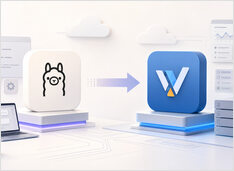
When to move from Ollama to vLLM
Ollama is one of the easiest ways to run a local language model, but convenience can conceal the moment when a local experiment becomes a shared inference service that needs better scheduling and observability.
Choose the right container workflow.
Docker Compose and Podman Quadlet solve overlapping problems but come from different design centers, and choosing between them depends on whether you think in application stacks or Linux services.
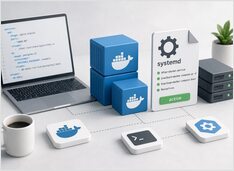
Docker Compose on boot, managed by systemd.
Docker Compose on a Linux server should start on boot, stop cleanly on shutdown, and survive reboots without manual intervention.
Pick the right Docker install path on Ubuntu.
Installing Docker on Ubuntu should be simple, but in practice several Docker-shaped options compete for the same command name, each with different packaging, upgrade behavior, and security implications.
Self-hosted AI search with local LLMs
Vane is one of the more pragmatic entries in the “AI search with citations” space: a self-hosted answering engine that mixes live web retrieval with local or cloud LLMs, while keeping the whole stack under your control.
Hermes Agent install and quickstart for devs
Hermes Agent is a self-hosted, model-agnostic AI assistant that runs on a local machine or low-cost VPS, works through terminal and messaging interfaces, and improves over time by turning repeated tasks into reusable skills.
Install TGI, ship fast, debug faster
Text Generation Inference (TGI) has a very specific energy. It is not the newest kid in the inference street, but it is the one that already learned how production breaks -
Compose-first Ollama server with GPU and persistence.
Ollama works great on bare metal. It gets even more interesting when you treat it like a service: a stable endpoint, pinned versions, persistent storage, and a GPU that is either available or it is not.
Graphs, Cypher, vectors, and ops hardening.
Neo4j is what you reach for when the relationships are the data. If your domain looks like a whiteboard of circles and arrows, forcing it into tables is painful.
Serve open models fast with SGLang.
SGLang is a high-performance serving framework for large language models and multimodal models, built to deliver low-latency and high-throughput inference across everything from a single GPU to distributed clusters.
Install Kafka 4.2 and stream events in minutes.
Apache Kafka 4.2.0 is the current supported release line, and it’s the best baseline for a modern Quickstart because Kafka 4.x is fully ZooKeeper-free and built around KRaft by default.
Hot-swap local LLMs without changing clients.
Soon you are juggling vLLM, llama.cpp, and more—each stack on its own port. Everything downstream still wants one /v1 base URL; otherwise you keep shuffling ports, profiles, and one-off scripts. llama-swap is the /v1 proxy before those stacks.
Developing software involves Git for version control, Docker for containerization, bash for automation, PostgreSQL for databases, and VS Code for editing — along with countless other tools that make or break your productivity. This page collects the essential cheatsheets, workflows, and comparisons you need to work efficiently across the full development stack.
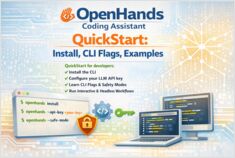
OpenHands CLI QuickStart in minutes
OpenHands is an open-source, model-agnostic platform for AI-driven software development agents. It lets an agent behave more like a coding partner than a simple autocomplete tool.
Self-host OpenAI-compatible APIs with LocalAI in minutes.
LocalAI is a self-hosted, local-first inference server designed to behave like a drop-in OpenAI API for running AI workloads on your own hardware (laptop, workstation, or on-prem server).