
WordPress SEO Plugins Compared: Yoast to Local AI
WordPress SEO plugins, Yoast to local AI
WordPress SEO plugins add the metadata, sitemaps, schema, and AI layer above WordPress core, and in 2026 that layer includes plugins that run inference on your own hardware.
The market is no longer a choice between Yoast and a few competitors. It now contains commercial SEO suites, lightweight open-source plugins, AI assistants that call hosted APIs, and newer plugins that talk to local models through Ollama, llama.cpp, or any OpenAI-compatible endpoint.
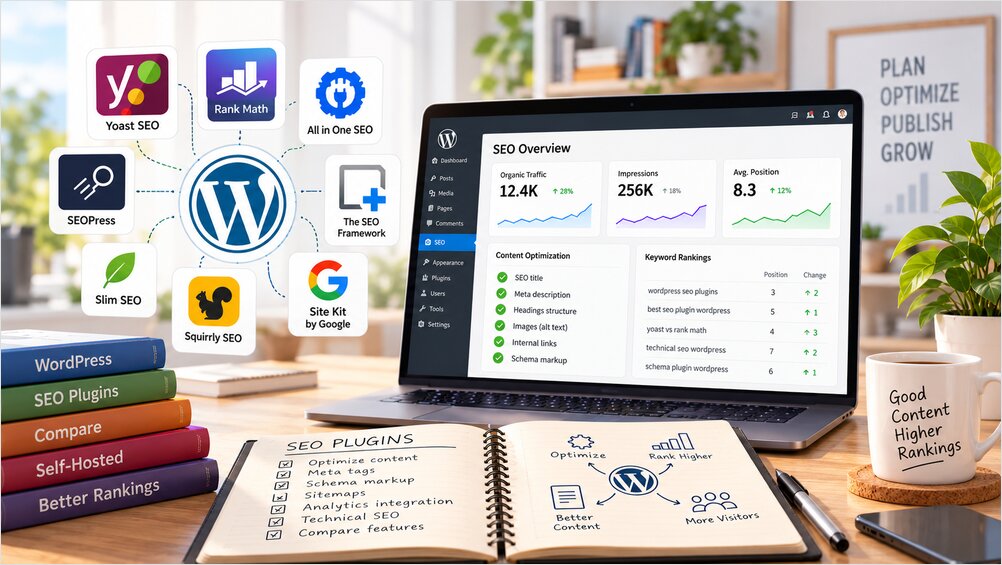
The answer to “which WordPress SEO plugin should I use” depends on what you need: a complete marketing suite, a quiet technical SEO layer, or a local AI assistant operating alongside a conventional plugin. This article compares the three models, walks through the major commercial, open-source, and local-AI plugins, and places the plugin layer inside the wider Web Infrastructure hub of this site.
What a WordPress SEO Plugin Does
A WordPress SEO plugin sits between WordPress content and the HTML, feeds, sitemaps, and machine-readable metadata consumed by search engines and social platforms.
Its most important jobs are deterministic:
- generate SEO titles and meta descriptions;
- define canonical URLs;
- control
index,noindex,follow, andnofollow; - create XML sitemaps;
- add Schema.org structured data;
- add Open Graph and social metadata;
- manage redirects and 404s;
- generate breadcrumbs;
- expose SEO fields in the editor;
- integrate with Google Search Console or analytics;
- provide content and internal-link analysis.
A conventional flow looks like this:
A canonical URL should not depend on whether an LLM happens to make a good decision on a particular day. Sitemap output stays in the same deterministic layer; IndexNow handles the separate question of telling engines when URLs change.
AI is useful for a different class of tasks:
- proposing alternative titles;
- rewriting descriptions;
- identifying missing sections;
- suggesting internal links;
- generating image alt text;
- clustering topics;
- summarizing SEO findings;
- assisting editors with content improvements.
That gives a second workflow:
Deterministic output stays with the SEO plugin; language generation goes to the AI layer, and the two can live in the same plugin or in two separate ones.
The Three WordPress SEO Plugin Models
Most WordPress SEO products now fall into one of three models.
Commercial SEO Suites
Yoast SEO, Rank Math, All in One SEO, and SEOPress combine a free WordPress plugin with paid features, commercial services, or premium editions. Their main advantage is maturity: large user bases, established migration paths, compatibility with popular themes and page builders, and extensive documentation.
Lightweight Self-Hosted SEO Plugins
The SEO Framework and Slim SEO take a quieter approach. Their core SEO functionality runs inside WordPress and focuses on automatically generating correct metadata rather than turning SEO into a large marketing dashboard. They fit site owners who already understand technical SEO and do not need continuous scoring or editorial coaching.
AI SEO Assistants
A newer category adds generative AI to WordPress. Some plugins call OpenAI, Anthropic, Gemini, Groq, OpenRouter, or other hosted providers. Others talk to Ollama, llama.cpp, vLLM, LM Studio, or another self-hosted model endpoint.
The distinction matters for privacy and cost: a plugin can be installed on your own WordPress server while still sending every article to an external AI service.
Commercial WordPress SEO Plugins Compared
The four dominant commercial or freemium products have substantially larger deployment histories than the newer AI-focused plugins.
Active-installation figures below are approximate WordPress.org values as of September 2026.
| Plugin | Active installs | Main strength | Complexity | Best suited for |
|---|---|---|---|---|
| Yoast SEO | 10M+ | Mature defaults and editorial guidance | Medium | General WordPress sites |
| Rank Math | 4M+ | Broad feature set and detailed controls | Medium-High | Power users and feature-rich sites |
| All in One SEO | 2M+ | Complete SEO and marketing suite | Medium-High | Business and WooCommerce sites |
| SEOPress | 300K+ | Technical controls and privacy-oriented design | Medium | Developers and agencies |
Yoast SEO
Yoast SEO is developed by Yoast and remains the most widely installed dedicated WordPress SEO plugin. WordPress.org reports more than 10 million active installations, which gives it an unusually large production footprint.
Yoast covers the expected SEO fundamentals: titles, descriptions, canonical URLs, XML sitemaps, schema, breadcrumbs, robots controls, social metadata, readability analysis, and content optimization. Its strongest feature is not one specific algorithm but maturity: themes, hosts, migration tools, and other plugins generally understand Yoast metadata.
The disadvantage is accumulated complexity. Yoast now includes a large amount of editorial guidance, commercial functionality, integrations, and AI-related features, which can feel excessive when all you need is a reliable metadata and sitemap layer.
Installation is simple and its setup flow suits non-specialists. Choose Yoast when compatibility, documentation, and proven behavior matter more than minimalism.
Rank Math
Rank Math has grown into the largest direct alternative to Yoast, with more than 4 million active WordPress installations. It takes a more feature-heavy approach and exposes many controls that other products either hide or split into separate modules.
Rank Math includes titles, descriptions, XML sitemaps, schema, redirection management, 404 monitoring, Search Console-related features, content analysis, and AI-oriented tooling. Its LLMS Txt module, toggled from the Rank Math dashboard, generates and maintains an llms.txt file at the site root that points AI crawlers at the pages that matter most; other suites added similar generation during 2025, so check the exact edition and version before relying on it.
In 2026 Rank Math added MCP functionality. The MCP server exposes tools for running SEO audits, analyzing posts, reviewing metadata scores and Schema markup, checking links and redirects, retrieving Search Console keyword data with impressions, position, and CTR, fetching robots.txt and llms.txt, and updating supported settings. The vendor documents client support for MCP-capable assistants such as Claude Desktop and GitHub Copilot, so an external agent can read the plugin’s SEO state without a browser session.
Its strength is breadth, and that breadth creates complexity. A small publication may not need dozens of modules, scores, dashboards, and integrations, and enabling too much functionality turns the SEO plugin into another administration platform that needs ongoing maintenance.
Installation is still straightforward, but configuring Rank Math well requires more decisions than installing a lightweight plugin. Choose Rank Math when you want most SEO functions concentrated in one product and do not mind a larger configuration surface.
All in One SEO
All in One SEO, commonly called AIOSEO, is one of the longest-running WordPress SEO products. WordPress.org reports more than 2 million active installations.
AIOSEO combines titles, descriptions, canonical controls, XML sitemaps, schema, redirects, local SEO, WooCommerce SEO, Search Console integration, internal-link assistance, author SEO, rank-related features, and AI content tools. The product increasingly resembles a complete SEO and marketing platform rather than a narrow technical plugin.
That makes it useful for commercial sites and less compelling for a technically managed publication that prefers small components. Many of the more advanced features belong to the paid product, so the useful feature boundary depends on the edition in use.
The setup wizard is approachable, but the full product has a substantial feature surface. Choose AIOSEO when you want a broad business-oriented SEO suite, particularly for WooCommerce or sites where marketing staff manage SEO directly in WordPress.
SEOPress
SEOPress is a mature alternative developed by the SEOPress team, with more than 300,000 active installations. It appeals to developers and agencies because it combines strong technical controls with a comparatively restrained interface.
SEOPress supports titles, descriptions, canonical URLs, XML and HTML sitemaps, Open Graph, analytics integration, structured data, redirects, content analysis, llms.txt, and AI-search-oriented functionality. It also provides hooks, REST support, WP-CLI integration, and white-label options. Its PRO edition adds AI metadata and image alt-text generation through hosted providers (GPT, Claude, Mistral, DeepSeek, and Gemini), which keeps the local-inference question to the plugins in the later section.
Compared with Yoast and AIOSEO, SEOPress feels less focused on coaching the editor through every paragraph. The tradeoff is that many advanced functions are part of the commercial edition, so a site owner should compare the exact edition rather than assume every advertised feature belongs to the free plugin.
Configuration complexity is moderate. Choose SEOPress when you want a mature general-purpose SEO suite with stronger developer controls and less intrusive branding.
Lightweight SEO Plugins: The SEO Framework and Slim SEO
Not every site needs a large SEO suite. For many technical publishers, the ideal SEO plugin generates correct metadata, stays predictable, and stays out of the way. The SEO Framework and Slim SEO are the two strongest examples of that philosophy.
| Plugin | Active installs | GitHub stars | GitHub forks | Main strength | Complexity |
|---|---|---|---|---|---|
| The SEO Framework | 200K+ | 480+ | 60+ | Quiet, deterministic SEO | Low |
| Slim SEO | 70K+ | 90+ | 20+ | Automatic configuration | Low |
GitHub numbers should be interpreted carefully for WordPress plugins. WordPress.org remains the main installation and update channel, so active installations are usually a stronger adoption signal than stars alone.
The SEO Framework
The SEO Framework is developed by Sybre Waaijer and CyberWire. Its core plugin is released under GPLv3 and has more than 200,000 active WordPress installations.
It automatically handles titles, descriptions, canonical metadata, Open Graph, structured data, robots directives, and XML sitemaps. Its main advantage is restraint: it tries to produce sensible SEO output without filling the editor with keyword scores, traffic-light indicators, or a long list of upsells.
The SEO Framework is not an AI SEO platform. That means local LLM functionality has to come from another plugin or integration.
Installation is simple and default behavior is sensible for many sites. Choose The SEO Framework when you want a reliable technical SEO layer that can later be combined with a separate AI assistant.
Slim SEO
Slim SEO is developed by eLightUp and has more than 70,000 active WordPress installations. Its source is publicly available on GitHub and the project emphasizes automatic configuration.
Slim SEO generates titles, descriptions, Open Graph metadata, XML sitemaps, schema, breadcrumbs, and related metadata with relatively little configuration. Recent releases added AI-generated meta titles and descriptions through providers including OpenAI, Anthropic, Gemini, and OpenRouter.
Its weakness for privacy-focused self-hosting is that the built-in AI path is oriented toward hosted providers rather than a generic local OpenAI-compatible server. The core SEO engine remains local, but AI usage is not automatically fully self-hosted.
Installation is one of the simplest in this comparison. Choose Slim SEO when you prefer automation over configuration and do not need a large SEO administration suite.
WordPress Plugins with Local LLM Support
This is where the market becomes more experimental. The important question is no longer simply whether the WordPress plugin is open source. You need to ask where the inference runs and whether a vendor backend sits between WordPress and the model.
A useful classification:
| Plugin | Role | Local/self-hosted LLM | Vendor backend required | Maturity |
|---|---|---|---|---|
| AI Engine | General AI framework | Yes, OpenAI-compatible | No | Established |
| Coretex SEO | AI-assisted SEO | Yes, Ollama | No | New |
| SEO Auditor Tools | SEO audit + AI fixes | Yes, Ollama | No | New |
| PIV AI SEO Assistant | Metadata and image alt generation | Yes, OpenAI-compatible | No | New |
| Synthocode Content Copilot | Editor AI assistant | Yes, Ollama | No | New |
The maturity column matters: several local-AI SEO plugins are promising architecturally but have tiny WordPress.org user bases compared with the established SEO plugins.
AI Engine
AI Engine is developed by Meow Apps and has around 90,000 active installations. It is not primarily an SEO plugin; it is an AI framework for WordPress.
Its main strength is provider flexibility. AI Engine supports hosted providers but also accepts custom OpenAI-compatible endpoints such as Ollama, LM Studio, vLLM, llama.cpp, and LocalAI. It also provides developer APIs, hooks, and MCP functionality.
That makes AI Engine interesting when you want to keep deterministic SEO in The SEO Framework, SEOPress, or another conventional plugin while adding local AI workflows separately. It can become the connection between WordPress and a private inference server.
The downside is that it does not automatically replace a dedicated SEO plugin. You design or configure the actual SEO workflow yourself, and some advanced AI Engine functionality belongs to commercial modules.
Choose AI Engine when you want a programmable local AI layer rather than a narrow “generate meta description” button.
A typical architecture looks like this:
Coretex SEO
Coretex SEO is a newer AI-assisted SEO plugin built around recommendations rather than automatic modification.
It can analyze titles, descriptions, headings, internal links, and image SEO, then place proposed changes into an approval queue with a before/after preview. Nothing is written to the site until an administrator accepts the suggestion. It supports commercial AI providers as well as a local Ollama instance, and the plugin documentation states that no Coretex account or Coretex-hosted backend is required.
The approval workflow is one of its strongest design choices: AI-generated SEO changes remain suggestions, and the model has no standing authority to modify pages.
The main concern is maturity. Its active-installation count is still very small, so it does not have the deployment history of Yoast, Rank Math, The SEO Framework, or AI Engine.
Choose Coretex when local Ollama integration and review-first AI suggestions matter more than a long production track record.
SEO Auditor Tools
SEO Auditor Tools combines a WordPress SEO audit with a large collection of additional site-management utilities.
Its audit layer covers SEO, accessibility, performance, and best practices. It also includes sitemap and robots tooling, redirects, image tools, llms.txt, and an AI helper that can connect to a self-hosted Ollama server.
The AI workflow is conservative: it generates structured proposals, validates them, shows a preview, and requires administrator approval before writing changes. It also records changes and supports undo.
The downside is scope. The plugin bundles SEO, performance, security, analytics, image tools, redirects, and other functions in one package, which is a lot of responsibility for a relatively new plugin.
Choose it if you want an all-in-one local audit and remediation tool and are comfortable evaluating a younger project carefully.
PIV AI SEO Assistant
AI SEO Meta and Image Alt Text Generator is a focused helper rather than a complete SEO engine.
Its most important feature for self-hosting is support for arbitrary OpenAI-compatible endpoints. That allows it to work with Ollama, LM Studio, private gateways, and other compatible servers without forcing content through a vendor-owned AI backend.
The plugin focuses on titles, descriptions, keywords, social metadata, and image alt text. It can write into metadata managed by established plugins such as Yoast, Rank Math, AIOSEO, SEOPress, and The SEO Framework.
It does not replace those plugins. Canonical URLs, schema, sitemap generation, and other deterministic SEO functions still belong to the underlying SEO engine.
Choose PIV when you already have an SEO plugin you trust and want to add local AI-assisted metadata generation on top.
Synthocode Content Copilot
Synthocode Content Copilot is an editor-side writing assistant for Gutenberg.
It can generate titles, descriptions, article ideas, summaries, tags, translations, and FAQ schema. It supports hosted providers as well as local Ollama, allowing content generation to remain inside your own infrastructure.
Its advantage is simplicity: instead of becoming a full technical SEO platform, it assists the person writing or updating a post.
That is also its limitation. It does not replace a proper SEO plugin for canonicals, sitemaps, redirects, schema management, or site-wide technical controls.
Choose it when you mainly want a private AI assistant inside Gutenberg.
Where Does Inference Run? Four “Self-Hosted” Architectures
The term “self-hosted” is used too loosely for WordPress SEO plugins. There are at least four distinct architectures.
1. Plugin installed locally, vendor service required
WordPress
    |
    v
Plugin
    |
    v
Vendor cloud
The plugin code runs on your server, but important functionality depends on the vendor.
2. Plugin installed locally, direct cloud API
WordPress
    |
    v
Plugin
    |
    v
OpenAI / Anthropic / Gemini / other API
There is no plugin-vendor backend, but content still leaves your infrastructure.
3. Plugin installed locally, local model
WordPress
    |
    v
Plugin
    |
    v
Ollama / llama.cpp / vLLM
This is genuinely local inference.
4. Deterministic SEO plugin plus separate local AI
For technically managed sites, the fourth model is usually the most attractive. It keeps critical SEO infrastructure independent of model availability and separates deterministic decisions from language-generation tasks. The same data-residency argument applies at the workflow level, not just the model level, as the data gravity and API lock-in analysis shows. For choosing between Ollama, llama.cpp, vLLM, LM Studio, and similar servers, the local LLM hosting comparison covers API support, hardware compatibility, and production readiness.
Pointing a WordPress Plugin at a Local Endpoint
Whichever plugin in the previous section you choose, the configuration reduces to one thing: an OpenAI-compatible base URL. Working through the checks below with curl first tells you whether a later problem is in the plugin or in the model server.
-
Start the model server and make sure a model is pulled. For Ollama:
ollama serve
ollama pull llama3.2
The Ollama CLI cheatsheet covers the full command set.
-
Verify that the OpenAI-compatible endpoint answers:
curl http://127.0.0.1:11434/v1/modelsThe response lists pulled models. An empty list or a connection error means the server is not ready, not that the plugin is broken.
-
Send one completion in the same shape the plugin will send:
curl http://127.0.0.1:11434/v1/chat/completions \ -H 'Content-Type: application/json' \ -d '{"model":"llama3.2","messages":[{"role":"user","content":"Write a 155-character meta description for a post about Hugo sitemaps."}]}' -
Enter the base URL in the plugin’s AI settings. The defaults for common runtimes:
Runtime Local base URL Ollama http://127.0.0.1:11434/v1LM Studio http://127.0.0.1:1234/v1vLLM http://127.0.0.1:8000/v1llama.cpp ( llama-server)http://127.0.0.1:8080/v1Most of these servers need no authentication locally; when the plugin demands an API key, any non-empty string (for example
ollama) satisfies the field. -
Run the plugin’s connection test, generate a single description, then inspect the rendered page’s
<head>to confirm the meta tag actually changed. If the test fails while the curl calls succeed, check that the base URL includes the/v1suffix and that the model name matches the output ofollama listexactly.
Two security checks belong in the same pass:
- Ollama binds to
127.0.0.1by default. If WordPress runs on the same host, leave it that way. SettingOLLAMA_HOST=0.0.0.0:11434exposes an unauthenticated inference endpoint to the network, where anyone can use your GPU and the models you loaded. If the plugin must reach the server from another machine, the Tailscale or WireGuard path in remote Ollama access replaces opening a public port. - On the WordPress side, a local endpoint requires lifting WordPress’s default block on HTTP requests to private addresses. The connector plugins that do this restrict the exception to the endpoint you configure, so other plugin HTTP calls cannot be pointed at internal addresses. Before enabling a local provider, check which hosts and ports your connector allowlists.
Which Plugin Combination Makes Sense?
For many sites, the best answer is not one plugin.
Conventional blog or small business site
Use:
Yoast
or
Rank Math
Both have large ecosystems and require little custom engineering. Yoast is the more conservative choice. Rank Math suits users who want more features and fine-grained controls in one place.
Developer-managed WordPress site
Use:
The SEO Framework
or
SEOPress
The SEO Framework is particularly attractive if you want the SEO layer to be small and predictable. SEOPress makes more sense if you want richer built-in controls without moving to the largest commercial suites.
Privacy-focused site using a local LLM
A clean architecture:
The SEO Framework
+
AI Engine or PIV
+
llama.cpp / Ollama / vLLM
This separates responsibilities:
The SEO Framework:
  canonical URLs
  robots
  schema
  sitemap
  social metadata

AI layer:
  title suggestions
  descriptions
  content review
  alt text
  editorial assistance

Local LLM:
  inference
That architecture is easier to reason about than letting one AI-heavy plugin control every SEO function.
Gutenberg-focused writer
Use a conventional SEO plugin plus Synthocode if the main requirement is editor assistance.
Experimental local-AI SEO workflow
Coretex SEO or SEO Auditor Tools are interesting, particularly because both use approval-oriented workflows. Their small deployment bases mean they should be evaluated more carefully before being made responsible for important production metadata.
What WordPress SEO Plugins Do Not Solve
Even the largest WordPress SEO plugins operate mostly inside one website. They can optimize metadata, site structure, schema, content, internal links, and redirects.
They cannot independently create the large external datasets provided by products such as Ahrefs or Semrush. A WordPress plugin cannot cheaply reproduce a web-scale backlink index or a global keyword-volume database. When a plugin offers those features, the data usually comes from the vendor or another external API.
The broader distinction:
WordPress SEO plugin:
  controls and optimizes the website

SEO platform:
  observes the website in the wider search ecosystem
A serious self-hosted SEO platform belongs outside WordPress. Technical crawlers, Search Console analysis, local rank tracking, MCP tools, and local LLM analysis can all be self-hosted separately; the self-hosted SEO tools and platforms comparison covers that layer in detail.
AI Should Not Become the Source of Truth
Generative AI is useful for SEO, but it should not determine facts that ordinary software can measure.
Bad architecture:
LLM decides:
  whether page is indexed
  whether canonical is correct
  current ranking
  number of broken links
  Core Web Vitals
Better architecture:
crawler / Search Console / WordPress:
  collect facts

LLM:
  interpret facts
  suggest improvements
For example:
FACT:
  page ranks around position 7

FACT:
  page has high impressions

FACT:
  CTR is unusually low

FACT:
  title is generic

AI TASK:
  propose three titles that better match the dominant queries
Proposing titles from collected facts is a safer use of an LLM than asking it to perform an SEO audit from memory.
WordPress SEO in 2026: What Has Changed
The most visible change is not that SEO plugins acquired more AI buttons. It is that WordPress can connect to AI systems through standard interfaces.
WordPress 7.0 introduced the AI Client, which exposes AI providers through a connector system visible under Settings → Connectors. Two connectors target self-hosted inference directly: AI Provider for Ollama registers Ollama as a provider and handles the localhost allowlisting, port registration, and keyless local authentication, while rtCamp’s Universal OpenAI Connector registers an openai_compatible provider that accepts any compatible endpoint, including LM Studio and private gateways. Custom connectors must allowlist localhost hosts and safe ports themselves; without that, requests from the AI Client to a local server fail silently.
AI Engine supports arbitrary OpenAI-compatible endpoints including Ollama, LM Studio, vLLM, llama.cpp, and LocalAI. There is also a separate AI Provider for OpenAI Compatible Servers plugin for the WordPress AI Client, designed to connect WordPress to self-hosted inference servers. Either path keeps a local model behind the WordPress installation:
Products such as Rank Math and AI Engine are adding MCP support. That points toward AI agents interacting with WordPress and SEO tools through controlled interfaces rather than through embedded plugin screens. The MCP server implementation notes in Go show what that server side looks like.
Conclusion
There is no single best WordPress SEO plugin because the products now solve different problems. The decision is an architectural one: keep canonical URLs, sitemaps, schema, and indexing rules in deterministic code you can audit, verify the local endpoint with plain curl before trusting a plugin’s AI settings, and use a model only where language reasoning adds value, with generated changes passing human review before publication.
If the goal grows beyond one plugin and reaches parts of Semrush, Ahrefs, or another external SEO platform, the architecture has to move outside WordPress entirely, into the self-hosted crawler, Search Console, and local LLM layer described in the companion platform comparison.
References
- Yoast SEO
- Rank Math
- Rank Math MCP: AI-powered SEO automation for WordPress
- How to use llms.txt in Rank Math
- All in One SEO
- SEOPress
- SEOPress AI features
- The SEO Framework
- Slim SEO
- AI Engine (WordPress.org)
- Coretex SEO (WordPress.org)
- SEO Auditor Tools (WordPress.org)
- PIV AI SEO Assistant (WordPress.org)
- Synthocode Content Copilot (WordPress.org)
- AI Provider for OpenAI Compatible Servers (WordPress.org)
- AI Provider for Ollama (WordPress.org)
- rtCamp Universal OpenAI Connector
- Ollama: OpenAI compatibility
