
Hermes Agent CLI cheat sheet — commands, flags, and slash shortcuts
Shell and TUI commands for self-hosted Hermes Agent.
Hermes Agent from Nous Research is a model-agnostic, tool-using assistant you run locally or on a VPS, from the shell, a full-screen TUI, or a messaging gateway.
Hermes does not lock you into one surface. You can use
- the classic
hermes/hermes chatCLI, - the full-screen
hermes --tuisession, - a long-running
hermes gatewayfor Telegram, Discord, Slack, and other messaging platforms, hermes dashboardfor a local browser UI when the web extra is installed.
Those paths share the same config and data under ~/.hermes; this page lists shell commands that matter across those modes.
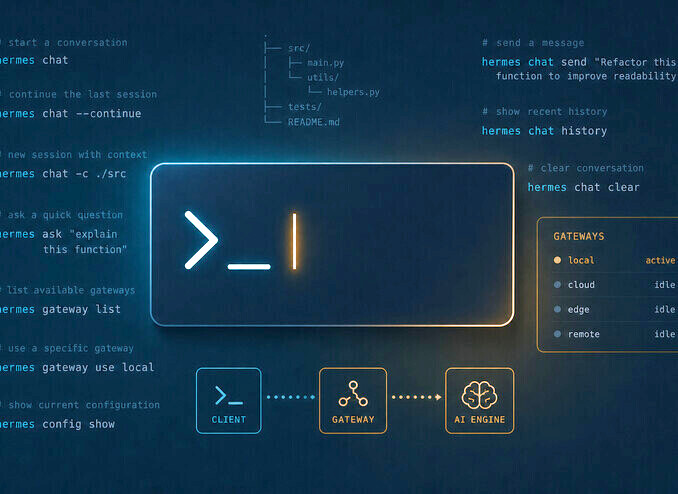
Below is a dense command reference grouped by task, checked against the official CLI commands reference on 6 October 2026. The latest stable tag at that date is v0.21.5 (v2026.9.24).
Install Hermes Agent and first-run CLI commands
For install and troubleshooting, start with Hermes AI Assistant — Install, Setup, Workflow, and Troubleshooting.
The installer pulls the repo, sets up a Python environment, and wires the hermes executable. After source ~/.bashrc or ~/.zshrc, your default entry point for interactive chat is simply hermes (same family as hermes chat).
| Command | Description |
|---|---|
curl -fsSL https://raw.githubusercontent.com/NousResearch/hermes-agent/main/scripts/install.sh | bash |
Official one-line install (Linux, macOS, WSL2). |
hermes / hermes chat |
Start interactive chat after install (default daily entry). |
hermes --version / hermes version |
Print version information. |
hermes completion bash | zsh | fish |
Emit shell completion scripts for tab completion. |
hermes update [--check] [--backup] [--restart-gateway] |
Pull latest code, reinstall deps, optional pre-update home snapshot or gateway restart. |
hermes uninstall [--full] [--yes] |
Remove Hermes; optional full data deletion. |
Native Windows is not supported; use WSL2. Android installs via Termux follow a dedicated path in the upstream docs.
Global flags for every hermes invocation
These flags apply before subcommands and change which profile, which session, or how much personal config loads.
| Flag | Description |
|---|---|
--profile, -p |
Select Hermes profile for this run (overrides sticky default from hermes profile use). |
--resume, -r |
Resume a session by ID or title. |
--continue [name], -c |
Continue the latest session, or latest matching a title. |
--worktree, -w |
Start in an isolated Git worktree for parallel agents. |
--yolo |
Bypass dangerous-command approval prompts (use with care). |
--pass-session-id |
Include session ID in the system prompt. |
--ignore-user-config |
Skip ~/.hermes/config.yaml (defaults only); .env still loads. |
--ignore-rules |
Skip auto-injection of AGENTS.md, SOUL.md, .cursorrules, memory, preloaded skills. |
--tui |
Launch the TUI (HERMES_TUI=1 equivalent). |
--dev |
With --tui, run TS sources via tsx for TUI development. |
Isolated automation often pairs hermes chat --ignore-user-config --ignore-rules with hermes -z for reproducible one-shots.
hermes chat, one-shot prompts, and hermes -z
| Command / pattern | Description |
|---|---|
hermes chat |
Interactive or scripted chat; main surface for -q, -m, --provider, toolsets, resume, worktree, checkpoints. |
hermes chat -q "..." |
On a TTY, submits the prompt as the first turn and stays in the session. Before 0.21 this exited after one answer. |
hermes chat --oneshot -q "..." |
Answer and exit (the old -q behavior). Implied by -Q and by non-TTY stdio. Use this when you need tool output in the transcript. |
hermes chat --query-file PATH |
Read the prompt from a file, or - for stdin. Nothing is shell-interpreted. Mutually exclusive with -q. |
hermes -z "..." |
Scripted one-shot — final answer only on stdout, no banner or session noise. Same agent and tools; best for pipes and scripts. |
hermes -z "…" --usage-file PATH |
After a -z run, write a JSON usage report (tokens, cost, completed / failed / partial) even when the run fails. |
hermes chat -q "…" --format stream-json |
JSONL events on stdout (system, text, tool_use, tool_result, result). Implies quiet; rejects --tui. |
hermes chat --quiet, -Q |
Quieter programmatic mode (banner and tool previews suppressed). Also implies oneshot when combined with -q. |
-m / --model, --provider |
Per-run model and provider overrides; env HERMES_INFERENCE_MODEL / HERMES_INFERENCE_PROVIDER mirror behavior. |
-t / --toolsets |
Enable comma-separated toolsets for the run. |
-s / --skills |
Preload skills (repeat or comma-separated). |
--image path |
Attach a local image to a single query. |
--checkpoints |
Enable filesystem checkpoints before destructive edits. |
--max-turns N |
Cap tool-calling iterations per turn (default 500, or agent.max_turns in config). |
--safe-mode |
Disable user config, rules, memory, plugins, shell hooks, and MCP. Implies --ignore-user-config and --ignore-rules. |
--source |
Session source tag (cli vs tool for integrations). One-shot runs default to oneshot. |
Hermes model outside the session vs /model inside it — Running hermes model from the shell is where you add providers, keys, and OAuth. Slash /model only switches among already configured providers. If you only see OpenRouter in /model, exit the session and complete hermes model.
Exit codes. A chat --oneshot / -Q run exits 0 when the turn completed, 1 when it failed, stopped partway, hit the iteration budget, or never started, and 130 on interrupt. hermes -z uses a different map: 0 completed, 2 failed or partial (even if it printed an explanation), 1 when a completed turn produced no text, 130 on interrupt. Judge a pipeline by the code, not by whether stdout is empty.
Model picker, credential pools, and fallback providers
| Command | Description |
|---|---|
hermes model |
Interactive provider and model picker; keys, OAuth, custom endpoints. |
hermes auth |
Credential pools — add, list, remove, reset for rotation-friendly keys and OAuth. |
hermes fallback [list | add | remove | clear] |
Manage ordered fallback providers when the primary errors or rate-limits. |
hermes setup [model | tts | terminal | gateway | tools | agent] [...] |
Sectioned or full interactive setup (--quick, --reset, --non-interactive). |
hermes setup --portal |
One-shot Nous Portal login: OAuth, set Nous as the inference provider, opt into the Tool Gateway. |
hermes portal [status | open | tools] |
Portal auth state and Tool Gateway routing. No subcommand runs status. |
hermes login has been removed. Use hermes auth for OAuth and credential pools, hermes model to pick a provider, or hermes setup for the full wizard. hermes auth logout <provider> clears a stored login.
Picking local OpenAI-compatible endpoints versus hosted APIs for hermes model sits on the same trade-offs as general LLM hosting (latency, cost, ops).
Once your default terminates at Qwen or Gemma on something like Ollama, sampler defaults matter as much as which model ID you typed; aggregate agent-oriented temperature and penalty presets in Agentic LLM inference parameters for Qwen and Gemma.
Config files and hermes config commands
Configuration resolves as CLI overrides → config.yaml → .env → defaults. API keys belong in .env; structured settings in config.yaml.
| Command | Description |
|---|---|
hermes config show |
Display effective configuration. |
hermes config edit |
Open config.yaml in $EDITOR. |
hermes config set key value |
Set values (secrets routed to .env, non-secrets to YAML). |
hermes config path / hermes config env-path |
Print paths to config and env files. |
hermes config check |
Detect missing or stale settings. |
hermes config migrate |
Apply newly introduced options interactively. |
Where files live — Everything sits under HERMES_HOME (default ~/.hermes) for config, secrets, memories, skills, sessions, gateway state, and logs.
Session management and hermes profile
| Command | Description |
|---|---|
hermes sessions list |
List recent sessions. |
hermes sessions browse |
Interactive picker with search and resume. |
hermes sessions export |
Export sessions (e.g. JSONL). |
hermes sessions delete, prune, rename, stats |
Delete one session, prune old ones, rename titles, show store stats. |
hermes profile list | use | create | delete | show | rename |
Manage isolated Hermes instances on one machine. |
hermes profile export / import |
Archive or restore a profile tarball. |
hermes profile alias |
Short wrapper scripts for fast profile switching. |
hermes worktree list |
Audit scratch worktrees: age, size, and whether each is safe to remove. --json for scripts. |
hermes worktree prune |
Remove clean, merged scratch trees. --dry-run prints the plan; --older-than N only narrows the sweep. Trees with uncommitted work or unique commits are kept. |
Use hermes -p work chat -q "..." for ad hoc runs without changing the sticky default profile. On a TTY that stays in the session; add --oneshot when the profile run must exit.
Skills hub, toolsets, shell hooks, and plugins
For profile-first configuration and skills tuned to real production workflows by role, see Hermes AI Assistant Skills for Real Production Setups. For writing and debugging SKILL.md files—metadata, progressive disclosure, and conditional visibility—see Hermes Agent Skill Authoring — SKILL.md Structure and Best Practices.
| Command | Description |
|---|---|
hermes tools |
Interactive per-platform tool enablement; --summary prints current choices. |
hermes skills browse, search, inspect, install, list, check, update, audit, uninstall, publish, snapshot, tap, config |
Skills hub workflows including registries and URL installs. |
hermes curator status, run, pause, pin, rollback, … |
Background skill maintenance and safe rollback. |
hermes hooks list, test, revoke, doctor |
Declared shell hooks and allowlists in config. |
hermes plugins |
Composite UI or subcommands to install, enable, disable, remove plugins. |
Built-in memory and hermes memory providers
Built-in MEMORY.md / USER.md stay active; external providers add optional recall layers. For how that architecture behaves in practice, read Hermes Agent Memory System — How Persistent AI Memory Actually Works. To compare external backends and activation trade-offs, see Agent Memory Providers Compared — Honcho, Mem0, Hindsight, and Five More.
| Command | Description |
|---|---|
hermes memory setup |
Interactive external memory provider configuration. |
hermes memory status |
Show active provider settings. |
hermes memory off |
Disable external provider; built-in files remain. |
When a provider is active it may register extra provider-specific top-level subcommands — run hermes --help to see what is wired today.
Messaging gateway, DM pairing, and platforms
| Command | Description |
|---|---|
hermes gateway setup |
Interactive messaging platform setup. |
hermes gateway run |
Foreground gateway (recommended on WSL, Docker, Termux). |
hermes gateway start | stop | restart | status |
systemd / launchd service control (--all affects every profile’s gateway). |
hermes gateway install | uninstall |
Install or remove user-level background service. |
hermes gateway migrate [--dry-run] |
Fold per-profile gateways onto one host gateway. hermes update runs this unless a preflight blocks it. There is no --standalone rollback. |
hermes pairing list | approve | revoke | clear-pending |
DM pairing approvals for messaging bots. |
hermes whatsapp |
WhatsApp bridge pairing flow. |
hermes slack manifest |
Generate Slack app manifest with gateway slash parity. |
On WSL, hermes gateway run inside tmux is the resilient pattern when gateway start misbehaves. For end-to-end phone workflows using that same gateway layer, see Hermes Voice Control from Your Phone.
For dedicated-server operation with a separate desktop client, follow Hermes Agent Headless Server and Remote Desktop Setup.
Cron scheduler, webhooks, and Kanban
| Command | Description |
|---|---|
hermes cron … |
Create, edit, pause, resume, run, remove scheduled prompts (tick for manual scheduler pass). |
hermes webhook subscribe, list, remove, test |
Dynamic webhook routes for event-driven runs. |
hermes kanban … |
Multi-profile task board backed by SQLite; dispatch drives workers. |
If you need practical concurrency patterns for hermes kanban on self-hosted gateways, see Kanban in Hermes Agent for Self Hosted LLM Workflows.
hermes doctor, logs, backup, and usage insights
| Command | Description |
|---|---|
hermes doctor [--fix] |
Interactive diagnostics and optional auto-repair. |
hermes status [--all] [--deep] |
Concise status; deeper checks when needed. |
hermes dump [--show-keys] |
Paste-friendly setup summary for Discord or GitHub issues. |
hermes debug share |
Upload redacted debug bundle to a paste service (or --local). |
hermes logs [agent | errors | gateway | list] |
Tail and filter logs under the profile’s log directory. |
hermes backup, hermes import |
Zip snapshots of home data and restore paths. |
hermes insights [--days N] [--source …] |
Token, cost, and activity analytics. |
When something breaks after an upgrade, hermes doctor, hermes status, and hermes logs errors -f form the fastest triage loop.
MCP, ACP, web dashboard, and OpenClaw migration
| Command | Description |
|---|---|
hermes mcp serve |
Run Hermes as an MCP server. |
hermes mcp add, remove, list, test, configure |
Manage MCP client connections from Hermes. |
hermes acp |
Agent Client Protocol stdio server for editors (extra install may apply). |
hermes dashboard [--port …] [--host …] |
Local web dashboard (pip install hermes-agent[web]). |
hermes claw migrate … |
Migrate OpenClaw-style configs into Hermes (--dry-run, presets, optional secrets). |
hermes import-agent [claude-code | codex] |
Import a Claude Code (~/.claude) or Codex CLI (~/.codex) setup. Always previews first; API keys are never copied. --sync re-imports sources whose files changed. |
OpenClaw migration — hermes claw migrate reads legacy OpenClaw home directories; the full staged cutover, including dry-run review, conflict policy, secret handling, and channel handover, is covered in How to Migrate from OpenClaw to Hermes Agent Safely. For what that stack looked like before moving, see the OpenClaw case study.
Slash commands in the Hermes CLI session
Type / for autocomplete. Commands are case-insensitive; skills register extra /skill-name routes. The tables below are a curated subset; for the full registry see Official Hermes Agent documentation at the end of this article.
Session flow, background tasks, and goals
| Command | Description |
|---|---|
/new, /reset |
New session ID and history. |
/resume [name] |
Resume a named session. |
/compress [focus] |
Manual context compression with optional focus topic. |
/retry, /undo |
Retry last turn or drop last exchange. |
/title … |
Name the session for later /resume. |
/background …, /queue …, /steer … |
Parallel background run, queued next prompt, mid-loop nudge after next tool. |
/goal … |
Persistent multi-turn objective with judge loop (status, pause, resume, clear). |
/branch, /fork |
Branch the conversation for alternate exploration. |
/btw … |
Side question about the current conversation; does not interrupt the main turn. |
/context [all] |
Context-usage breakdown. all adds per-skill and per-toolset costs. |
/status |
Session info plus a local recap (recent turns, tools, files). No model call. |
/sessions |
In-session picker: filter, arrows, Enter to resume. |
Models, tool toggles, skills, and reload
| Command | Description |
|---|---|
/model … [--global] |
Switch models among configured providers; --global persists default. |
/tools …, /toolsets |
Session tool toggles and toolset listing. |
/skills … |
Search, install, and manage skills from chat. |
/cron … |
Scheduled tasks UI from the CLI session. |
/reload-mcp |
Reload MCP servers from config. |
/reload |
Reload .env into the running session without restart. |
Usage, help, and quitting
| Command | Description |
|---|---|
/usage, /insights |
Token and cost visibility; analytics snapshot. |
/voice on, /voice tts |
CLI voice recording (Ctrl+B by default) and spoken playback. |
/reasoning high |
Raise reasoning effort for the session. |
/help, /quit |
Help or exit the CLI. |
A line that starts with ! runs on the host shell without a model turn (!git status). It does not enter the conversation, and dangerous commands still hit the approval prompt. Ctrl+S stashes the composer draft for the session only; nothing is written to disk.
Messaging apps (Telegram, Discord, Slack, and others) expose an overlapping slash set plus /approve, /restart, /commands, and related gateway-only helpers — platform differences are documented in the slash command reference under Official Hermes Agent documentation below.
More useful reading
Related pages on this site:
- AI Systems — Self-Hosted Assistants, RAG, and Local Infrastructure — cluster overview and how assistants fit the stack
- AI Systems Memory — memory hub and adjacent guides
Official Hermes Agent documentation
Upstream documentation on hermes-agent.nousresearch.com:
Tip. Keep hermes dump and hermes doctor --fix in muscle memory — they turn vague “something broke” reports into actionable diffs against a known-good setup.
