
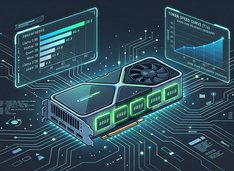
16 GB VRAM LLM benchmarks with llama.cpp (speed and context)
llama.cpp token speed on 16 GB VRAM (tables).
Here I am comparing speed of several LLMs running on GPU with 16GB of VRAM, and choosing the best one for self-hosting.
llama.cpp token speed on 16 GB VRAM (tables).
Here I am comparing speed of several LLMs running on GPU with 16GB of VRAM, and choosing the best one for self-hosting.

Compose-first Ollama server with GPU and persistence.
Ollama works great on bare metal. It gets even more interesting when you treat it like a service: a stable endpoint, pinned versions, persistent storage, and a GPU that is either available or it is not.

HTTPS Ollama without breaking streaming responses.
Running Ollama behind a reverse proxy is the simplest way to get HTTPS, optional access control, and predictable streaming behaviour.
Serve open models fast with SGLang.
SGLang is a high-performance serving framework for large language models and multimodal models, built to deliver low-latency and high-throughput inference across everything from a single GPU to distributed clusters.

Hot-swap local LLMs without changing clients.
Soon you are juggling vLLM, llama.cpp, and more—each stack on its own port. Everything downstream still wants one /v1 base URL; otherwise you keep shuffling ports, profiles, and one-off scripts. llama-swap is the /v1 proxy before those stacks.

Most local AI setups start with a model and a runtime.

What actually happens when you run Ultrawork.
Oh My Opencode promises a “virtual AI dev team” — Sisyphus orchestrating specialists, tasks running in parallel, and the magic ultrawork keyword activating all of it.
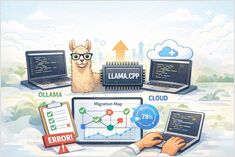
OpenCode LLM test — coding and accuracy stats
I have tested how OpenCode works with several locally hosted on Ollama LLMs, and for comparison added some Free models from OpenCode Zen.

Meet Sisyphus and its specialist agent crew.
The biggest capability jump in OpenCode comes from specialised agents: deliberate separation of orchestration, planning, execution, and research.
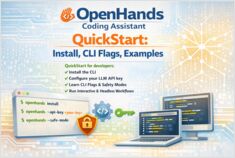
OpenHands CLI QuickStart in minutes
OpenHands is an open-source, model-agnostic platform for AI-driven software development agents. It lets an agent behave more like a coding partner than a simple autocomplete tool.
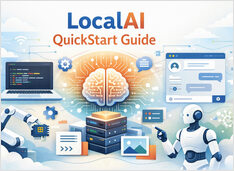
Self-host OpenAI-compatible APIs with LocalAI in minutes.
LocalAI is a self-hosted, local-first inference server designed to behave like a drop-in OpenAI API for running AI workloads on your own hardware (laptop, workstation, or on-prem server).

Install Oh My Opencode and ship faster.
Oh My Opencode turns OpenCode into a multi-agent coding harness: an orchestrator delegates work to specialist agents that run in parallel.
How to Install, Configure, and Use the OpenCode
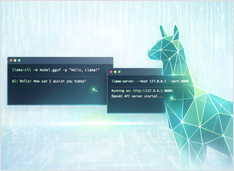
I keep coming back to llama.cpp for local inference—it gives you control that Ollama and others abstract away, and it just works. Easy to run GGUF models interactively with llama-cli or expose an OpenAI-compatible HTTP API with llama-server.

Artificial Intelligence is reshaping how software is written, reviewed, deployed, and maintained. From AI coding assistants to GitOps automation and DevOps workflows, developers now rely on AI-powered tools across the entire software lifecycle.
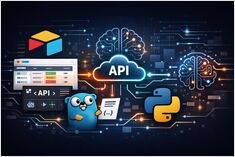
Airtable - Free plan limits, API, webhooks, Go & Python.
Airtable is best thought of as a low‑code application platform built around a collaborative “database-like” spreadsheet UI - excellent for rapidly creating operational tooling (internal trackers, lightweight CRMs, content pipelines, AI evaluation queues) where non-developers need a friendly interface, but developers also need an API surface for automation and integration.
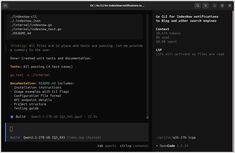
How to Install, Configure, and Use the OpenCode
OpenCode is an open source AI coding agent you can run in the terminal (TUI + CLI) with optional desktop and IDE surfaces. This is the OpenCode Quickstart: install, verify, connect a model/provider, and run real workflows (CLI + API).