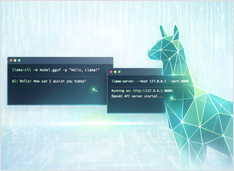
Llama-Server Router Mode - Dynamic Model Switching Without Restarts
Serve and swap LLMs without restarts.
For a long time, llama.cpp had a glaring limitation:
you could only serve one model per process, and switching meant a restart.
Serve and swap LLMs without restarts.
For a long time, llama.cpp had a glaring limitation:
you could only serve one model per process, and switching meant a restart.
Self-hosted AI search with local LLMs
Vane is one of the more pragmatic entries in the “AI search with citations” space: a self-hosted answering engine that mixes live web retrieval with local or cloud LLMs, while keeping the whole stack under your control.
Install TGI, ship fast, debug faster
Text Generation Inference (TGI) has a very specific energy. It is not the newest kid in the inference street, but it is the one that already learned how production breaks -
Remote Ollama access without public ports
Ollama is at its happiest when it is treated like a local daemon: the CLI and your apps talk to a loopback HTTP API, and the rest of the network never finds out it exists.
Compose-first Ollama server with GPU and persistence.
Ollama works great on bare metal. It gets even more interesting when you treat it like a service: a stable endpoint, pinned versions, persistent storage, and a GPU that is either available or it is not.
HTTPS Ollama without breaking streaming responses.
Running Ollama behind a reverse proxy is the simplest way to get HTTPS, optional access control, and predictable streaming behaviour.
Serve open models fast with SGLang.
SGLang is a high-performance serving framework for large language models and multimodal models, built to deliver low-latency and high-throughput inference across everything from a single GPU to distributed clusters.
Hot-swap local LLMs without changing clients.
Soon you are juggling vLLM, llama.cpp, and more—each stack on its own port. Everything downstream still wants one /v1 base URL; otherwise you keep shuffling ports, profiles, and one-off scripts. llama-swap is the /v1 proxy before those stacks.
Self-host OpenAI-compatible APIs with LocalAI in minutes.
LocalAI is a self-hosted, local-first inference server designed to behave like a drop-in OpenAI API for running AI workloads on your own hardware (laptop, workstation, or on-prem server).
How to Install, Configure, and Use the OpenCode
I keep coming back to llama.cpp for local inference—it gives you control that Ollama and others abstract away, and it just works. Easy to run GGUF models interactively with llama-cli or expose an OpenAI-compatible HTTP API with llama-server.
Control data and models with self-hosted LLMs
Self-hosting LLMs keeps data, models, and inference under your control-a practical path to AI sovereignty for teams, enterprises, nations.
Self-hosted ChatGPT alternative for local LLMs
Open WebUI is a powerful, extensible, and feature-rich self-hosted web interface for interacting with large language models.
Fast LLM inference with OpenAI API
vLLM is a high-throughput, memory-efficient inference and serving engine for Large Language Models (LLMs) developed by UC Berkeley’s Sky Computing Lab.
Compare the best local LLM hosting tools in 2026. API maturity, hardware support, tool calling, and real-world use cases.
Running LLMs locally is now practical for developers, startups, and even enterprise teams.
But choosing the right tool — Ollama, vLLM, LM Studio, LocalAI or others — depends on your goals:
Configure context sizes in Docker Model Runner with workarounds
Configuring context sizes in Docker Model Runner is more complex than it should be.
Enable GPU acceleration for Docker Model Runner with NVIDIA CUDA support
Docker Model Runner is Docker’s official tool for running AI models locally, but enabling NVidia GPU acceleration in Docker Model Runner requires specific configuration.